
App Support
Thank you for using Unipra
About the App
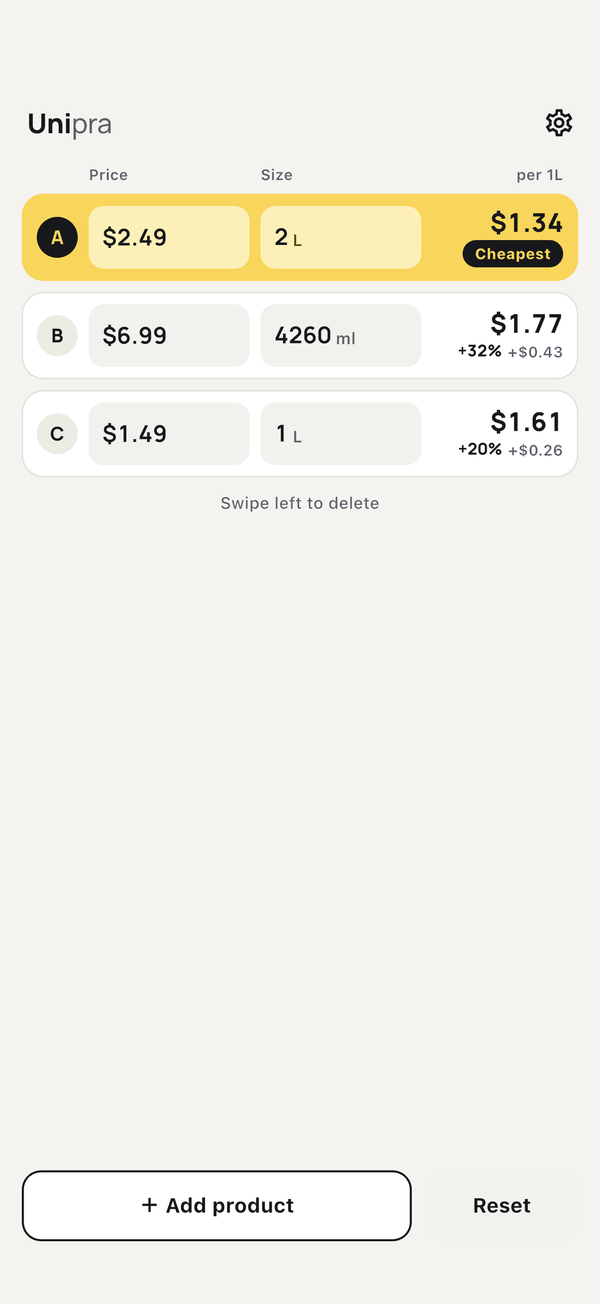
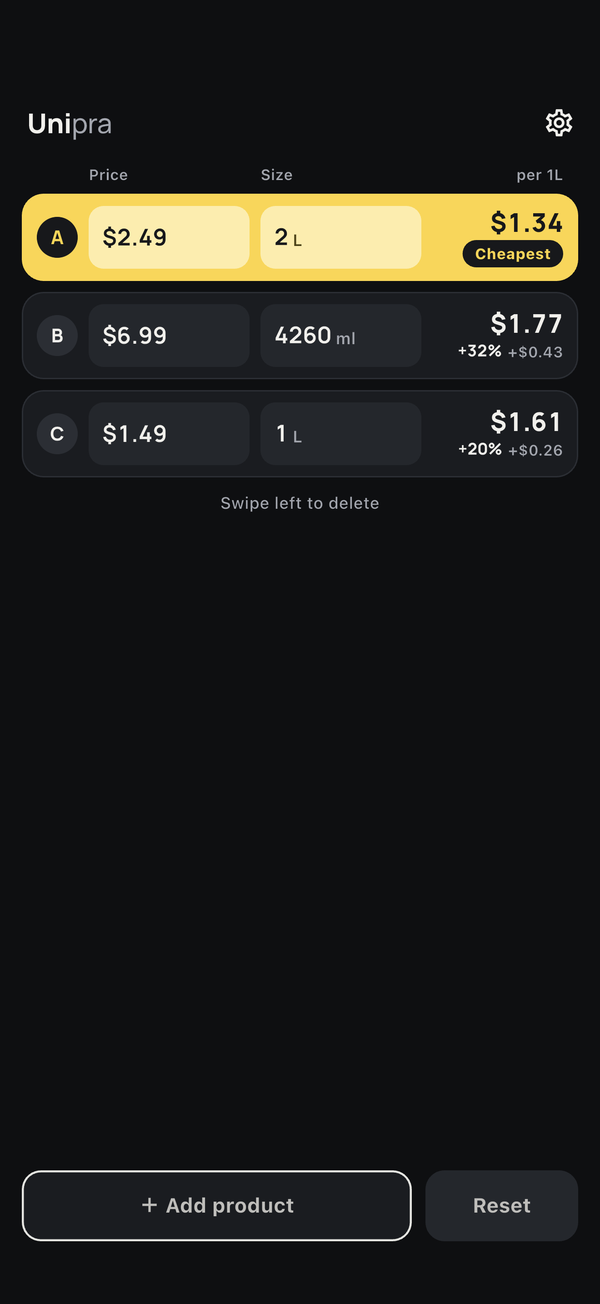
Unipra is a unit price comparison app that tells you which product is the best deal while you shop. Just enter the price and size, and it calculates the unit price and highlights the cheapest product in yellow. It also handles products in different units (like 400ml and 1.2L), tax-included and tax-excluded prices, discounts, and point rewards.
Key Features
Unit Conversion & Calculator Input
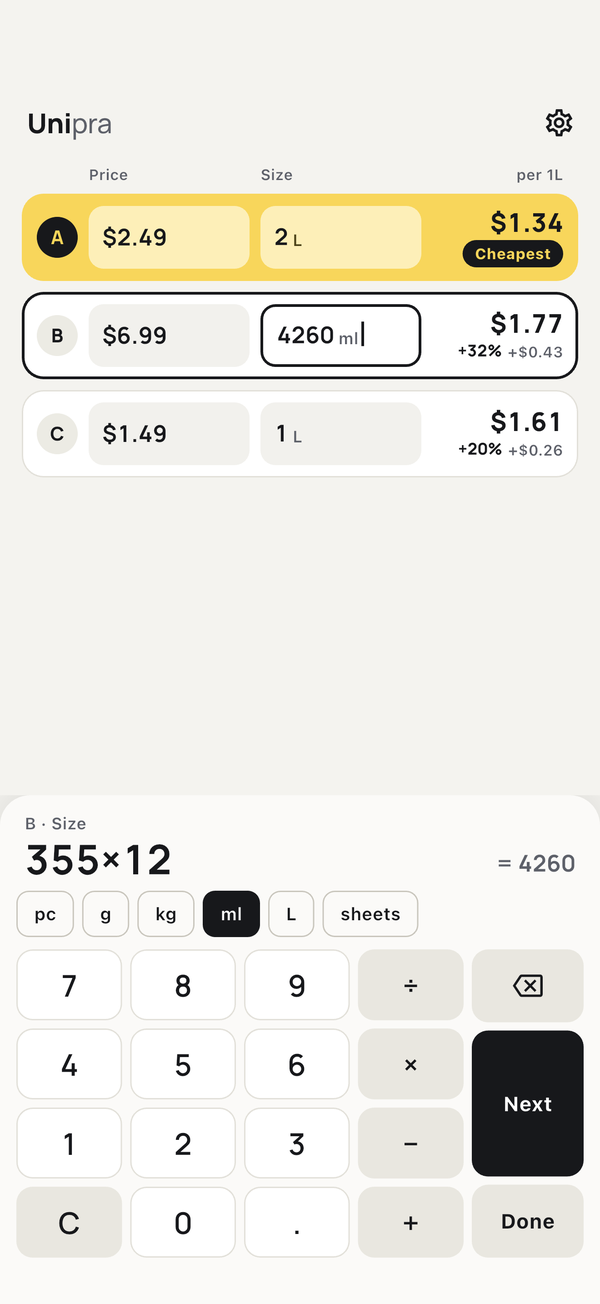
Add a unit to each size — g, kg, ml, L, pieces or sheets — and products in different units are converted and compared. You can also type math like "240×3" right in the field.
Tax, Discounts & Points
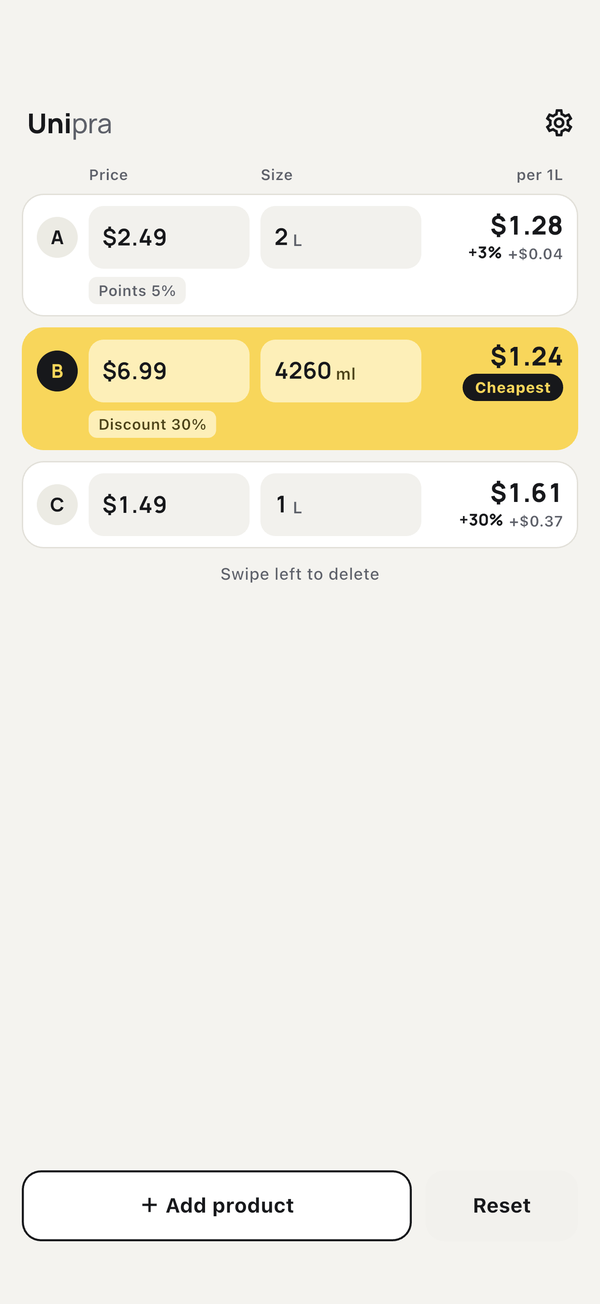
While entering a price, set tax included/excluded, a discount, or point rewards for each product to compare the real unit price.
Settings
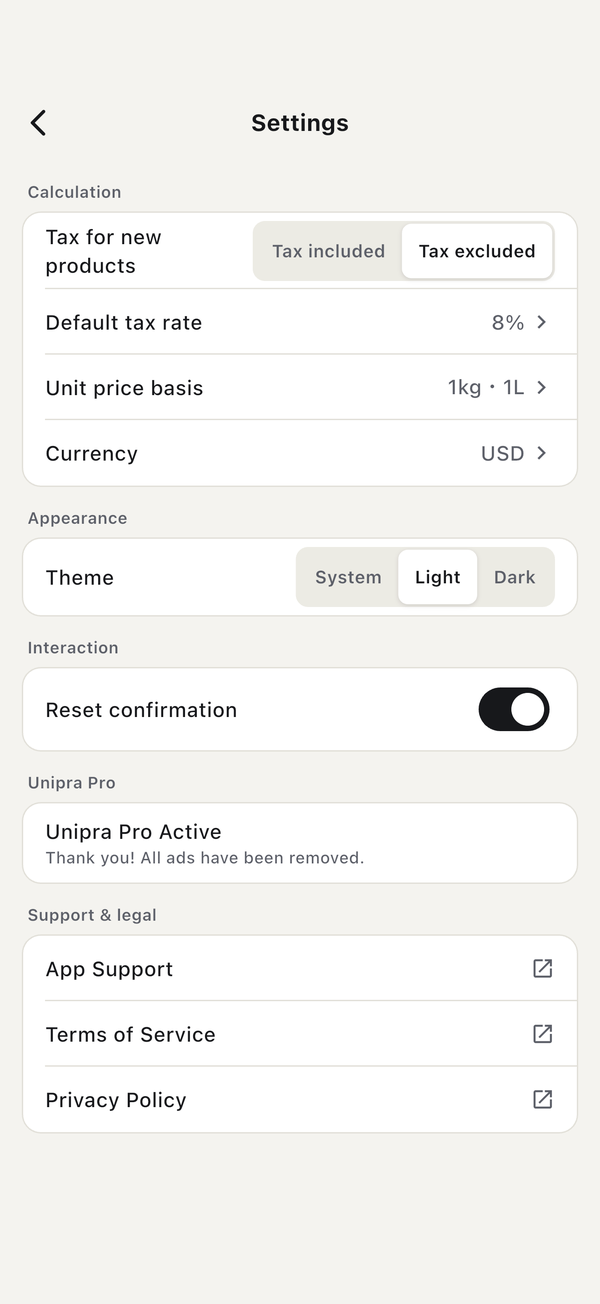
Change the unit price basis (per 100g / 100ml, etc.), the tax setting for new products, the tax rate, the currency, and the theme.
Dark Mode & Languages
Supports dark mode, 9 languages, and 7 currencies.
How to Use
-
1
Enter the price and size
When you open the app, you can start typing the price of product A. Enter the price on the numpad, then tap "Next" to move to the size.
-
2
Choose a unit
While entering the size, pick a unit (pcs, g, kg, ml, L, sheets) above the numpad.
-
3
Set tax, discounts or points if needed
While entering the price, choose "Tax included", "Tax excluded", "+ Discount" or "+ Points" above the numpad.
-
4
Check the result
Once two or more products are entered, the cheapest product's row turns yellow, and the others show how much more they cost (e.g. "+28%").
-
5
Add or delete products
Tap "Add product" to add more. Swipe a product left to delete it, or tap "Reset" to clear everything.
Frequently Asked Questions
Q. Is my data saved?
The products you are comparing are not saved and are cleared when you close the app. Your settings (currency, tax rate, unit price basis, theme, etc.) are saved on your device.
Q. Can I compare products in different units?
Yes, as long as the units are the same kind (g and kg, ml and L, etc.). If they are different kinds, such as weight and volume, a notice appears above the table and no cheapest product is shown.
Q. Can I show unit prices other than per 100g?
Yes. In Settings, change "Unit price basis" to per 1g / 1ml or per 1kg / 1L. Pieces and sheets are always priced per piece or sheet.
Q. Is it free?
Yes, Unipra is free to use (with ads). Buy "Unipra Pro" once to remove all ads. It is a one-time purchase, not a subscription.
Q. How do I get Pro back after changing phones or reinstalling?
Sign in with the same Apple ID or Google account you used to buy it, then tap "Restore Purchases" in Settings.
Q. Do I need an internet connection?
Unit price calculations work offline. An internet connection is needed to show ads and to buy or restore Pro.
Q. Which platforms and languages are supported?
iOS (15.0 or later) and Android. The app is available in 9 languages — English, Japanese, Chinese, Korean, German, French, Spanish, Italian, and Portuguese — and follows your device's language setting.
Contact Us
If you have questions, want to report a bug, or have a request, please feel free to contact us using the form below.
Contact Form